
How to log in/activate your account
Whether you’re an OMCA Member accessing your benefits or a visitor purchasing tickets, creating an online account helps you enjoy everything OMCA has to offer. Follow the guide below to log in or create your account.
If any of these options apply to you, congratulations! You are already set up with an account:
- Member (current or previous)
- Purchased tickets
- Signed up for emails
- Organized a school trip or group
Need to create a new account? Here’s how to create a new account.
Follow these steps to activate your account:
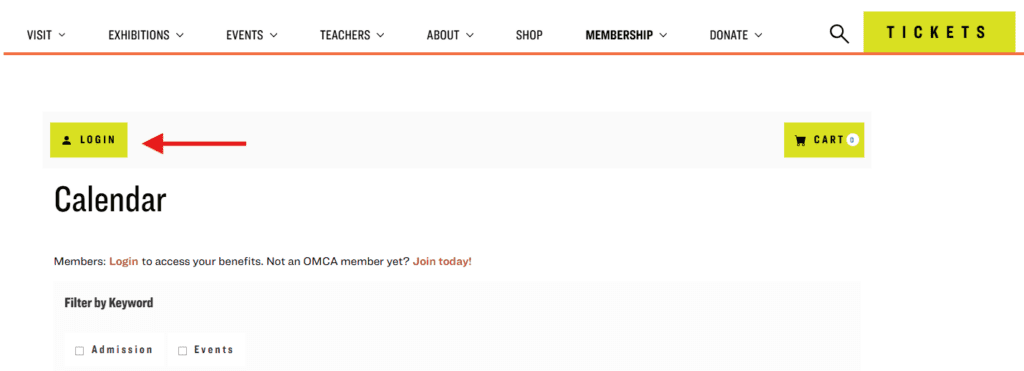
Step 1: Locate the Login Button
- Visit secure.museumca.org and select the “Login” button, located in the upper-left corner of the page.
Step 2: Activate Your Account
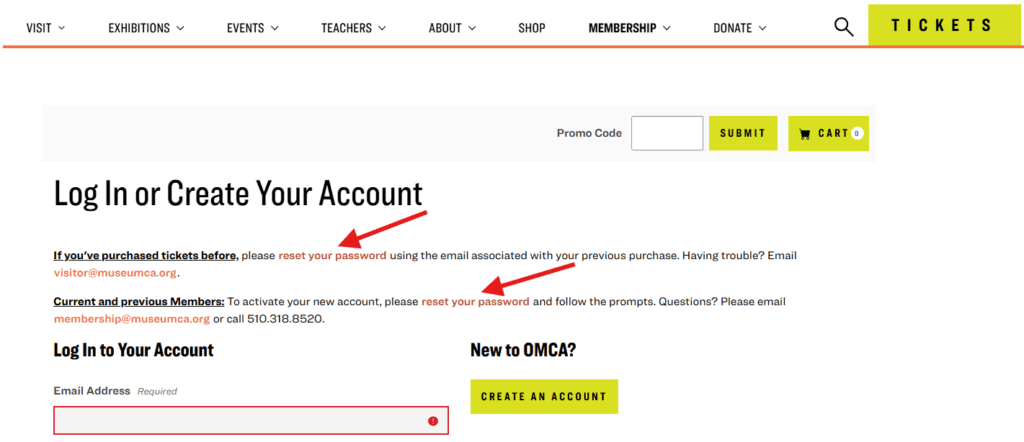
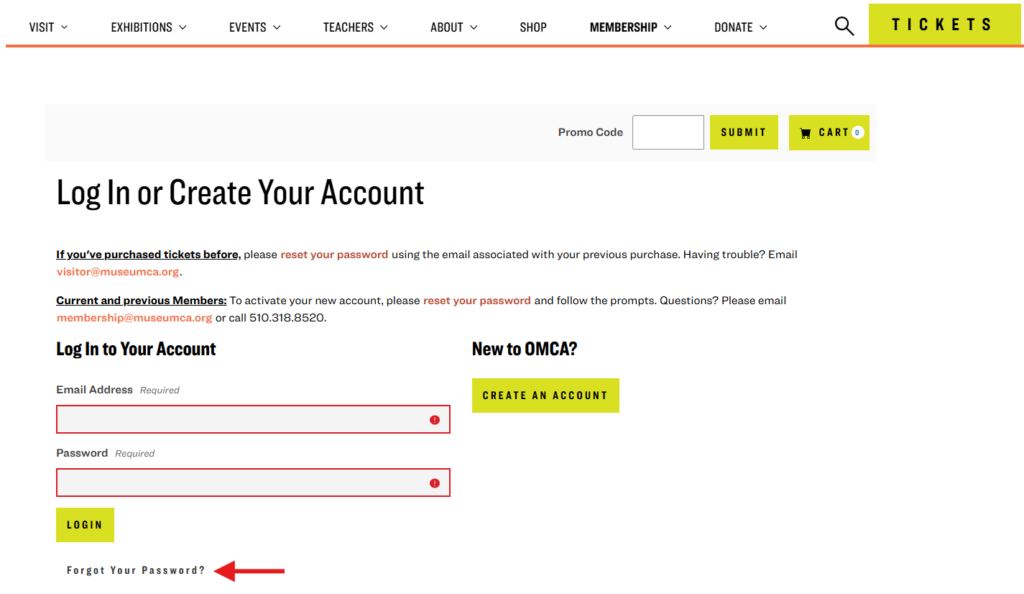
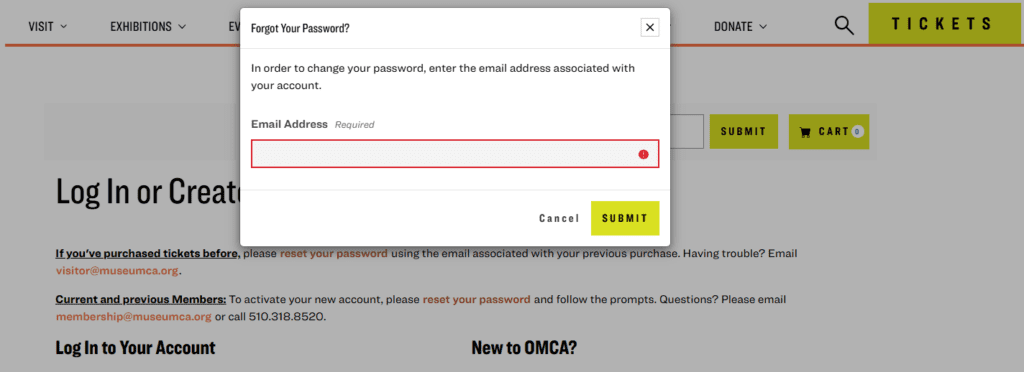
- Select “reset your password” and enter the email address associated with your account.
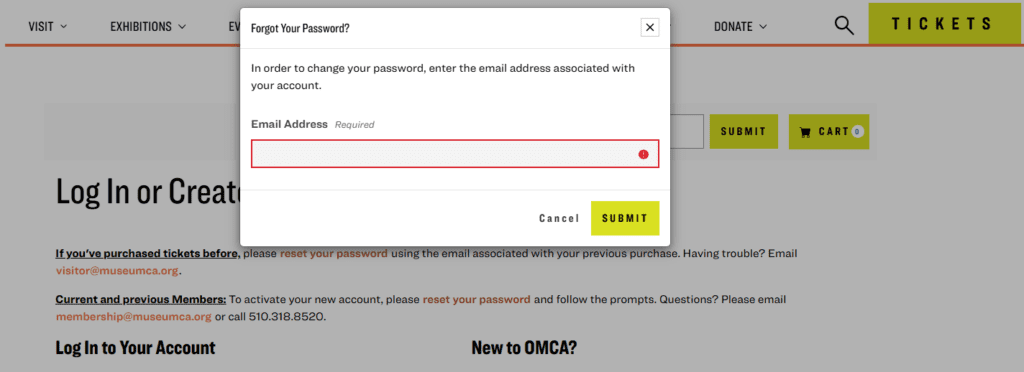
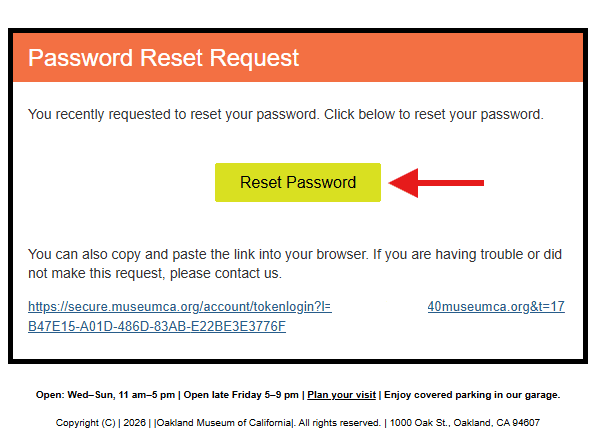
- You will receive a password reset email from the Oakland Museum of California (visitor@museumca.org). Check your spam or junk folder if you don’t see it.
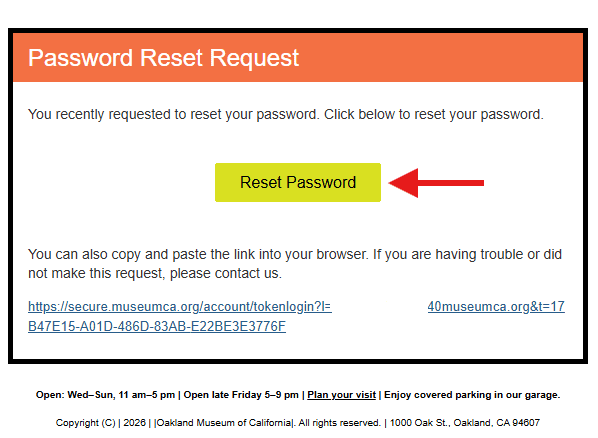
- Click the “Reset Password” button or link in the email, and enter a new password on the form provided. Be sure to save your password for the future!
- After submission, you’ll either be logged in or prompted to sign in using your updated credentials.
Step 3: Access Your Profile
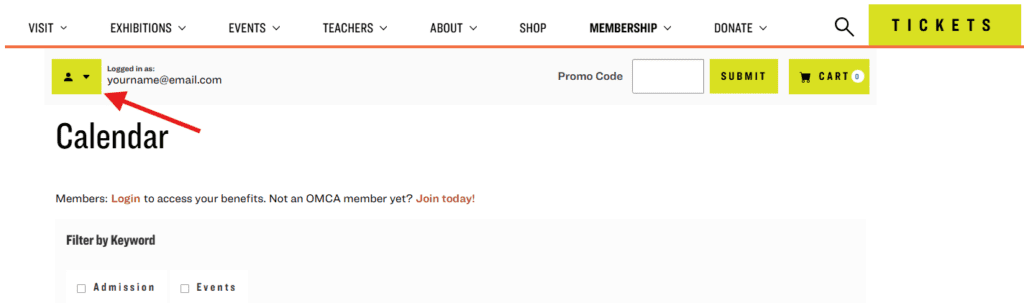
- Once logged in, click the profile icon (located in the upper-left corner).
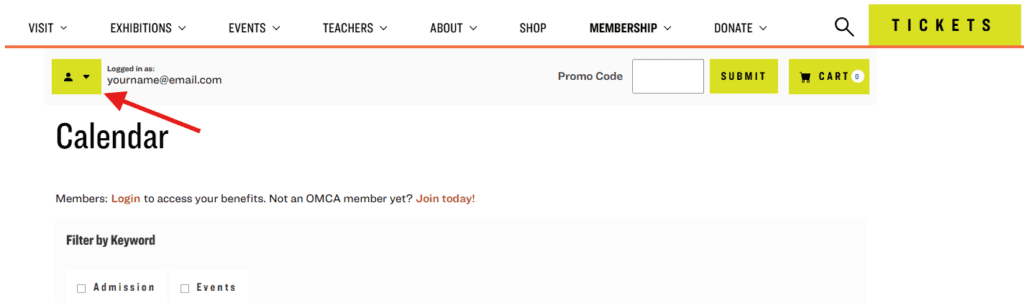
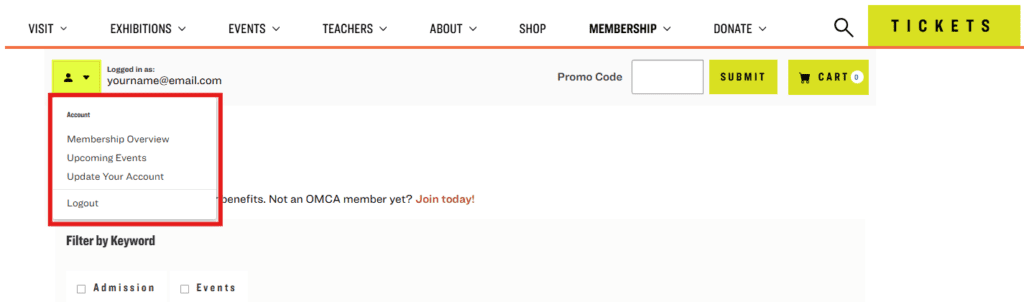
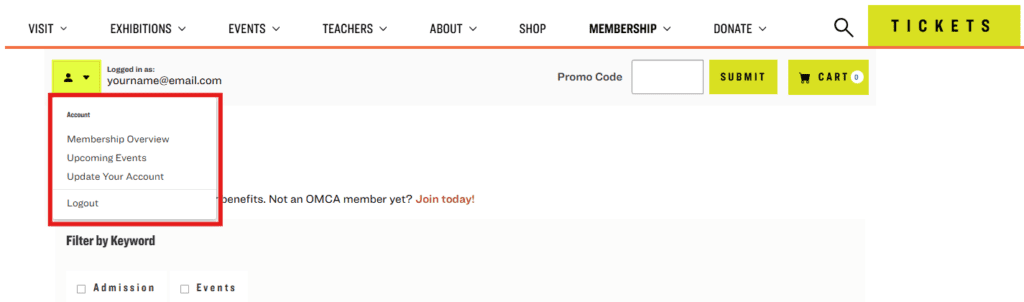
- Navigate to “Update Your Account” and verify your personal information. Make any necessary changes.
- Members: Navigate to “Membership Overview” to view your membership level, expiration date, and list of benefits.
Step 4: Use Your Membership Benefits
- Members can reserve tickets in advance of the general public, register for member previews and events, and upgrade or renew their membership. Not a member yet? Join today!
Follow these steps to create a new account:
Step 1: Find the Login Button
- Visit secure.museumca.org and click the “Login” link, located in the upper-left corner of the page.
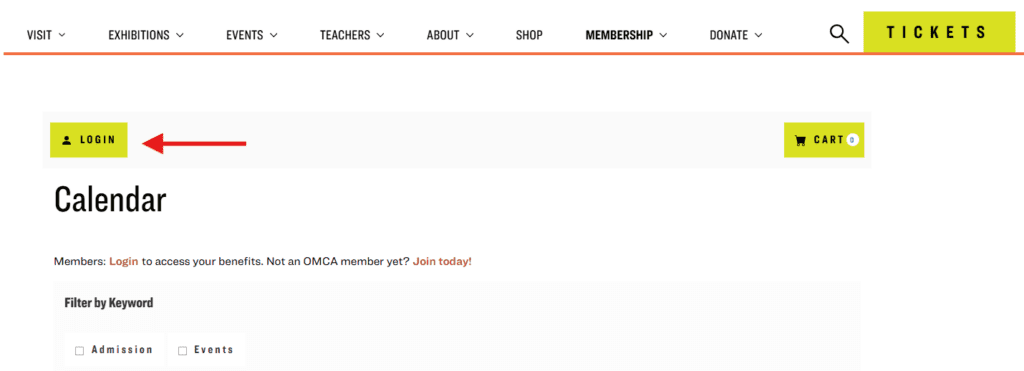
Step 2: Create Your Account
- Click “Create an Account” and register using your preferred email address.

- If your email address is already associated with an account but you do not know your password, return to the “Login” page and then select the “Forgot Your Password?” button at the bottom left of your screen to reset it.
- You will receive a password reset email from the Oakland Museum of California (visitor@museumca.org). Check your spam or junk folder if you don’t see it.
- Click the “Reset Password” button or link in the email and enter a new password on the form provided. Be sure to save your password for the future!
- After submission, you’ll either be logged in or prompted to sign in using your updated credentials.
Step 3: Access Your Profile
- Once logged in, click the profile icon (located in the upper-left corner).
- Navigate to “Update Your Account” and verify your personal information.
- Congratulations! Now you can purchase tickets, register for events and programs, review your upcoming events, and more.
If you have any questions setting up your account, please reach out to us at visitor@museumca.org. We’re here to help!